Lifetime - Access
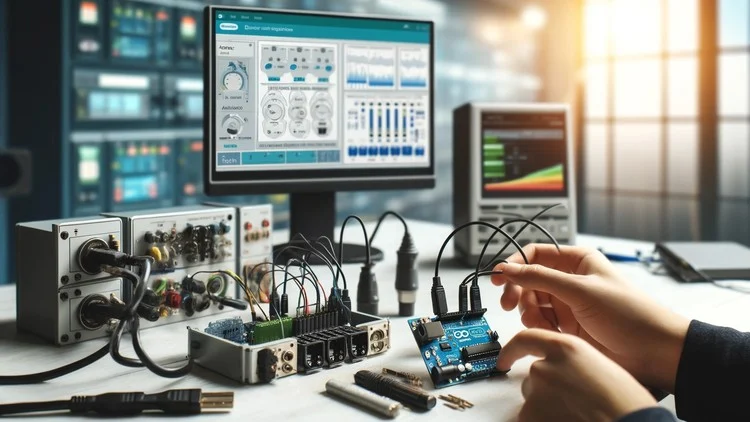

SCADA System Interface with Arduino
Master SCADA hands-on by building real-time interfaces to control and monitor Arduino-based systems. Learn automation, sensor data logging, and device control from scratch.

Created By Ashraf Said AlMadhoun


Get this course with 2000+ of our top related courses with personal plan.
Try Personal Plan for freeWhat You’ll Learn
- Build professional SCADA interfaces using multiple tools that allow real-time interaction with your Arduino system.
- Kickstart your SCADA journey with a ready-made Arduino codebase that simplifies interface creation.
- Design complete graphical dashboards to visually monitor your Arduino's activity and data in real time.
- Develop interactive panels to remotely control and manage your Arduino-based hardware from your screen.
- Log sensor data visually with SCADA dashboards that track and store real-time input from your devices.
- Write and customize functional Arduino programs that support both monitoring and control functions.
- Understand how relays and contacts work to control devices through your SCADA interface.
- Compare Arduino with PLC systems and identify when to use each in real-world applications.
- Master several Arduino programming techniques that enhance your SCADA integration skills.
Requirements
- All necessary software is provided for free with step-by-step video installation guides.
- A working computer or laptop (Windows/macOS/Linux).
Description
Welcome to the ultimate hands-on SCADA training course where you will learn to design and implement interfaces that allow you to control Arduino-based systems in real-time.
Through this course, you’ll gain practical experience by creating custom visual panels that reflect system parameters, collect live data, and send control commands using SCADA technology.
This course focuses on one of the most widely used visualization technologies in the automation world. You won’t just learn theory—you’ll dive into actual SCADA implementation and leave the course with a fully functioning monitoring and control system based on Arduino.
By the end of this journey, you’ll be able to design, build, and deploy your first SCADA interface from scratch—with confidence and support every step of the way.
What You Will Learn (Recap)
- Write robust Arduino code to power your SCADA interfaces.
- Create full-featured graphical dashboards for monitoring live data.
- Program Arduino to read sensors and manage output devices via SCADA panels.
- Use visual components to interact with various hardware types.
- Understand communication protocols between SCADA and Arduino.
- Explore advanced SCADA creation tools to build production-ready interfaces.
- Enhance your Arduino programming knowledge with real use-case applications.
Who This Course Is For
- Beginners eager to understand and work with SCADA systems.
- Tech hobbyists and electronics enthusiasts ready to build interactive control setups.
- Engineering students and professionals aiming to upskill in automation and control systems.
- Anyone excited about integrating Arduino with professional-grade SCADA interfaces.
Additional Requirements
- Basic understanding of electronics and Arduino.
- An Arduino board and relevant components (sensors, relays, etc.).
- Some programming knowledge is helpful, but not mandatory.
About the Instructor
Educational Engineering Team brings together a group of passionate engineers with over 13 years of industry and academic experience. With more than 100+ courses on Udemy and over 250,000 students worldwide, this team is known for making complex technical concepts simple, practical, and engaging.
Led by Ashraf – a Mechatronics engineer, educator, and author – the team delivers quality training on Arduino, Raspberry Pi, IoT, automation, and microcontroller programming. Ashraf’s educational YouTube channel has over 4 million views and continues to inspire tech learners around the world.
The team also supports graduation projects and mentoring initiatives, making them a valuable resource for both learners and academic institutions.
Popular Topics Taught by the Instructor:
- Arduino, PIC Microcontroller, and Raspberry Pi
- PLC Automation and Industrial Control
- Circuit Design, Simulation, and PCB Manufacturing
- Programming in C, Python, and other key languages
- IoT Systems and ESP Technologies
- 3D Modeling and Simulation
Who Should Enroll?
- Anyone who wants to control Arduino using a visual interface.
- Learners interested in remote device control through SCADA.
- Tech enthusiasts curious about Arduino and SCADA system integration.
- Those needing foundational Arduino skills can start with the instructor’s “Arduino Programming” course first.
Course content

 1. Introduction
 to SCADA
2. Functions and Alarms
1. SCADA system using Arduino with Free SCADA software
1. Hardware and Software Requirements
2. Arduino Board
1. Circuit Connection
1. Modbus RTU
1. Download and Install Arduino IDE
2. Adding Modbus support to Arduino IDE
3. Programming Arduino Main Function
4. Programming Arduino Loop Function
1. Download SCADA Software
2. Installing SCADA Software
3. Starting a New Project in SCADA Software
4. User Interface and Communication Driver
5. Tags in SCADA Systems
1. Practical Implementation
1. Creating First SCADA Project
2. Adding Tags to Database
3. Verifying Our Project and Linking Services
4. Creating and Configuring Your First SCADA Interface
5. How to download and Install WPLSoft
6. PLC Program to be Controlled by SCADA
7. PLC Practical Introduction
8. SCADA Practical Implementation
1. Who We Are
1. Introduction
1. Introduction to SCADA
2. Functions and Alarms
1. SCADA system using Arduino with Free SCADA software
1. Hardware and Software Requirements
2. Arduino Board
1. Circuit Connection
1. Modbus RTU
1. Download and Install Arduino IDE
2. Adding Modbus support to Arduino IDE
3. Programming Arduino Main Function
4. Programming Arduino Loop Function
1. Download SCADA Software
2. Installing SCADA Software
3. Starting a New Project in SCADA Software
4. User Interface and Communication Driver
5. Tags in SCADA Systems
1. Practical Implementation
1. Creating First SCADA Project
2. Adding Tags to Database
3. Verifying Our Project and Linking Services
4. Creating and Configuring Your First SCADA Interface
5. How to download and Install WPLSoft
6. PLC Program to be Controlled by SCADA
7. PLC Practical Introduction
8. SCADA Practical Implementation
1. Who We Are
Similar courses
Explore More
Instructor



Ashraf Said AlMadhoun is a passionate educator and entrepreneur dedicated to inspiring individuals through online learning. Since 2007, Ashraf has been teaching thousands of students via his online education platform, Educational Engineering School, helping them acquire new skills and unlock their potential to become better versions of themselves.
What Do You Want to Learn?
Ashraf offers a variety of courses tailored to meet diverse needs, including:
Learning how to monetize skills as an Embedded System Developer.
Building a 6-figure business from scratch.
Gaining expertise in coding, circuit design, and soldering electronic components.
Creating impactful and innovative projects.
Starting an embedded systems career to develop great projects, simulate designs, program, and create PCB boards.
Launching a freelance career in embedded systems.
With a 30-day money-back guarantee and ongoing course updates, Ashraf ensures his content remains relevant and impactful.
About Ashraf
Ashraf holds a Bachelor’s degree in Mechatronics Engineering from Azhar University, where he honed his skills in embedded systems using Arduino, PIC Microcontrollers, and related technologies. After graduating, he began his teaching career as a Teacher Assistant at his alma mater and later at a local college. These experiences ignited his passion for sharing knowledge and inspired him to establish his online education brand, Educational Engineering School, which has empowered over 450,000 students globally.
Interests and Passions
When he’s not teaching, Ashraf enjoys playing football, biking, traveling, and spending quality time with friends and family. A dedicated football enthusiast, he also loves exploring new cultures and cuisines.
Mission
Ashraf is driven by the desire to help others achieve their dreams. He aims to empower students to become skilled Embedded System creators, monetize their expertise, and build fulfilling careers.
Join one of Ashraf’s courses today and start transforming your skills into opportunities!
More Courses by Ashraf Said AlMadhoun


Recieve the best deals..